Everything about Mom, kept in one place.
The caregiving binder on your phone, with a one-page care summary for any doctor. No subscription, no ads, no account.
Price, plainlyFree for one person and 10 documents. $49.99 once for everything else.
Open Alderbook in your browser. It works now on any phone or computer, with no account, and keeps everything in that browser. Coming later to the App Store and Google Play. Read the privacy policy first if you like.
What it looks like
Why it is different
Nothing disappears
Everything is stored on this device, not on a server that can lose a row. Deleting or re-categorising a document asks twice.
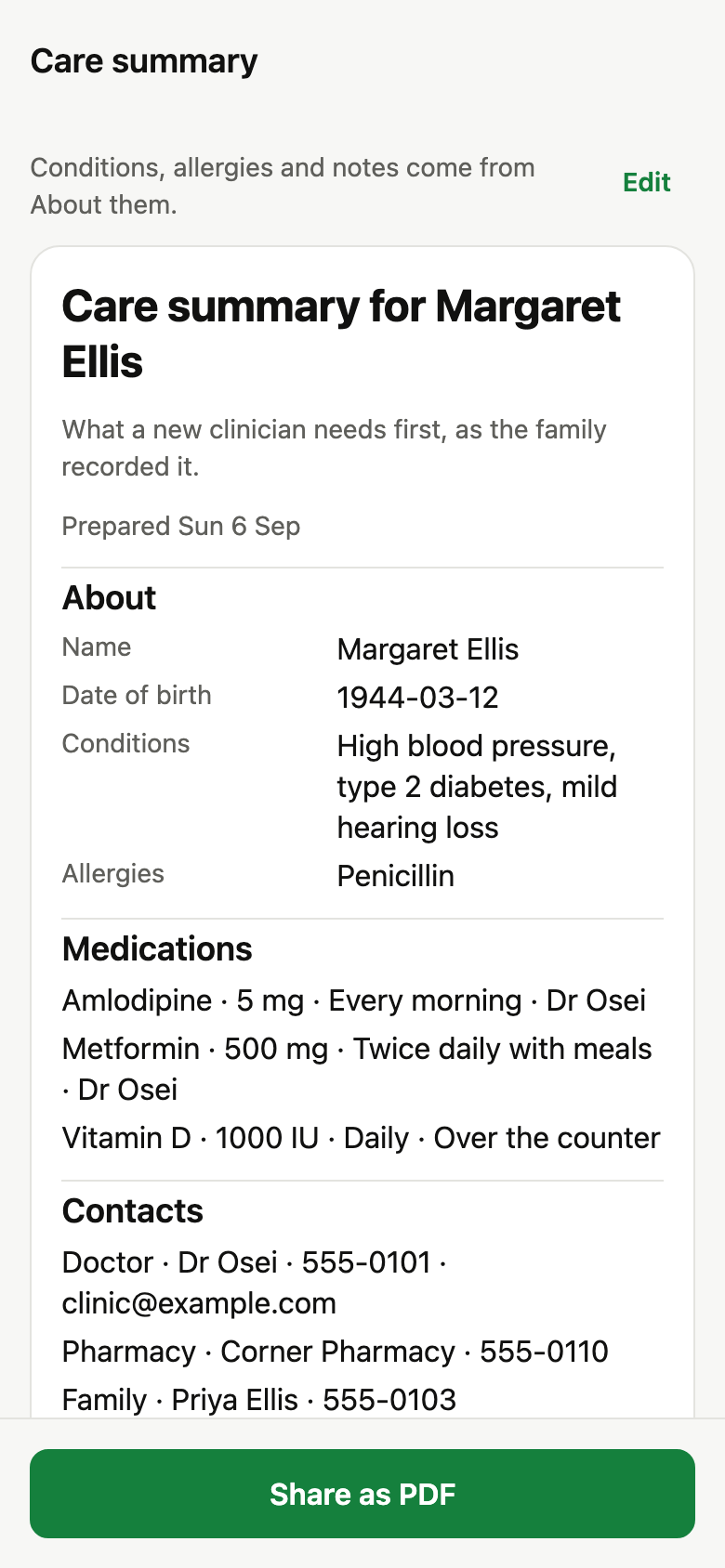
The one-page care summary
Name and date of birth, conditions and allergies as you wrote them, the medication table, doctor and pharmacy contacts, and whether a directive, a POA and an insurance card are on file. Useful on day one; current every day after.
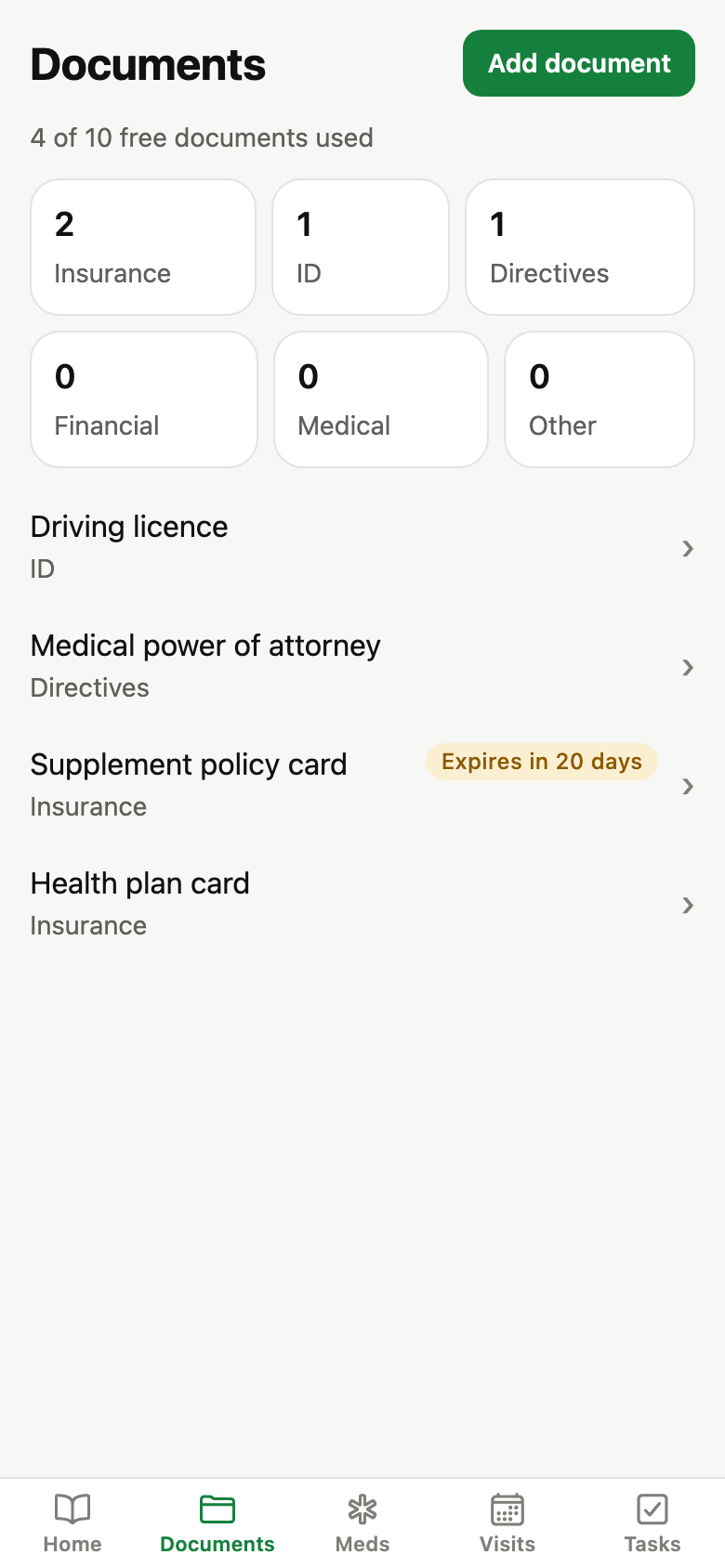
Documents, with expiry reminders
Photograph or import the insurance and Medicare cards, ID, the POA and the directive. Grouped by category, reminded 30 days before something runs out.
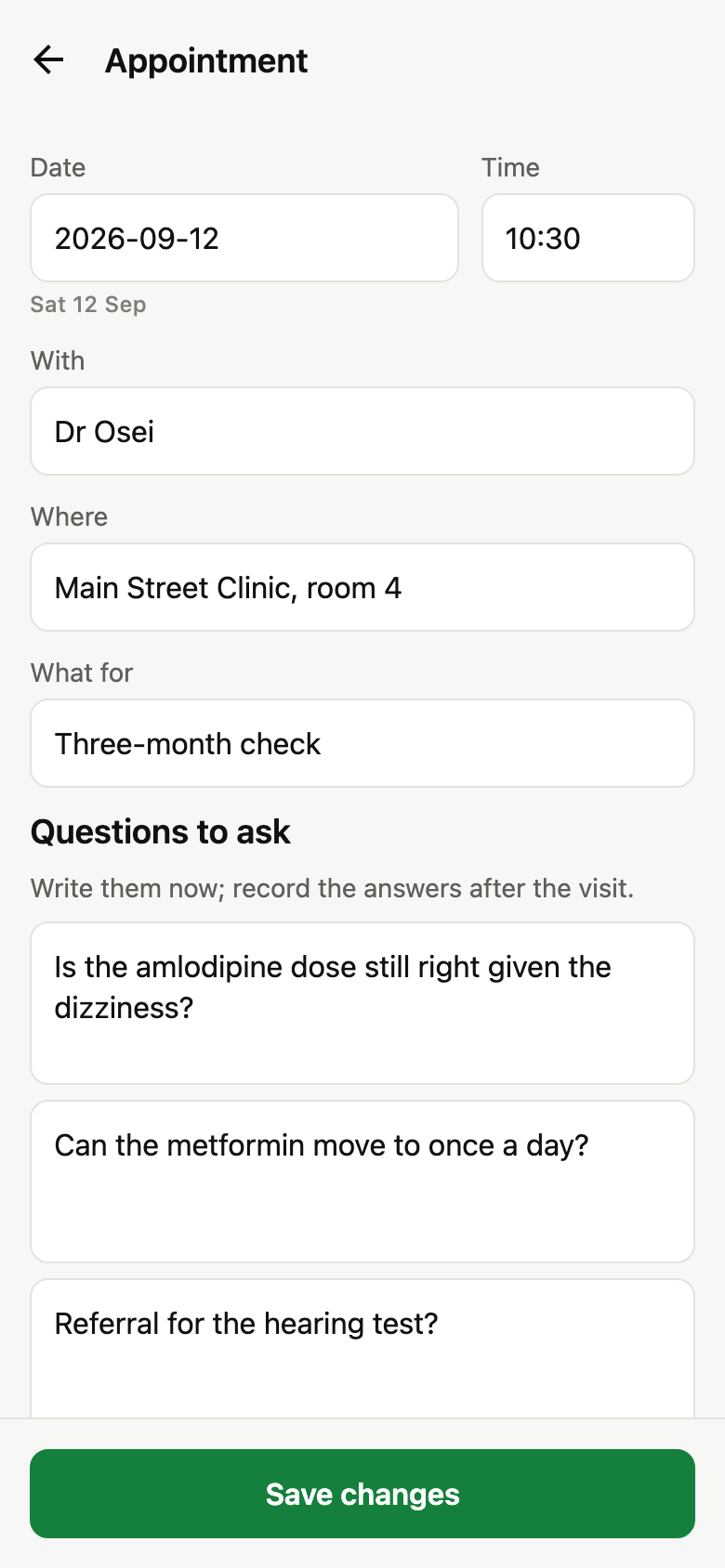
Questions before, answers after
Each appointment carries the questions to ask and the outcome notes afterwards. Export any single visit as a PDF.
Who is doing what
Tasks grouped by sibling, overdue at the top. Contacts grouped by role, doctor first, tap to call.
No passwords, on purpose
Alderbook never stores logins next to health records. A password manager with emergency access is the right tool for those.
The first minute
- Who do you care for? A first name is enough.
- Add one thing to start: a document, the next appointment, or a medication.
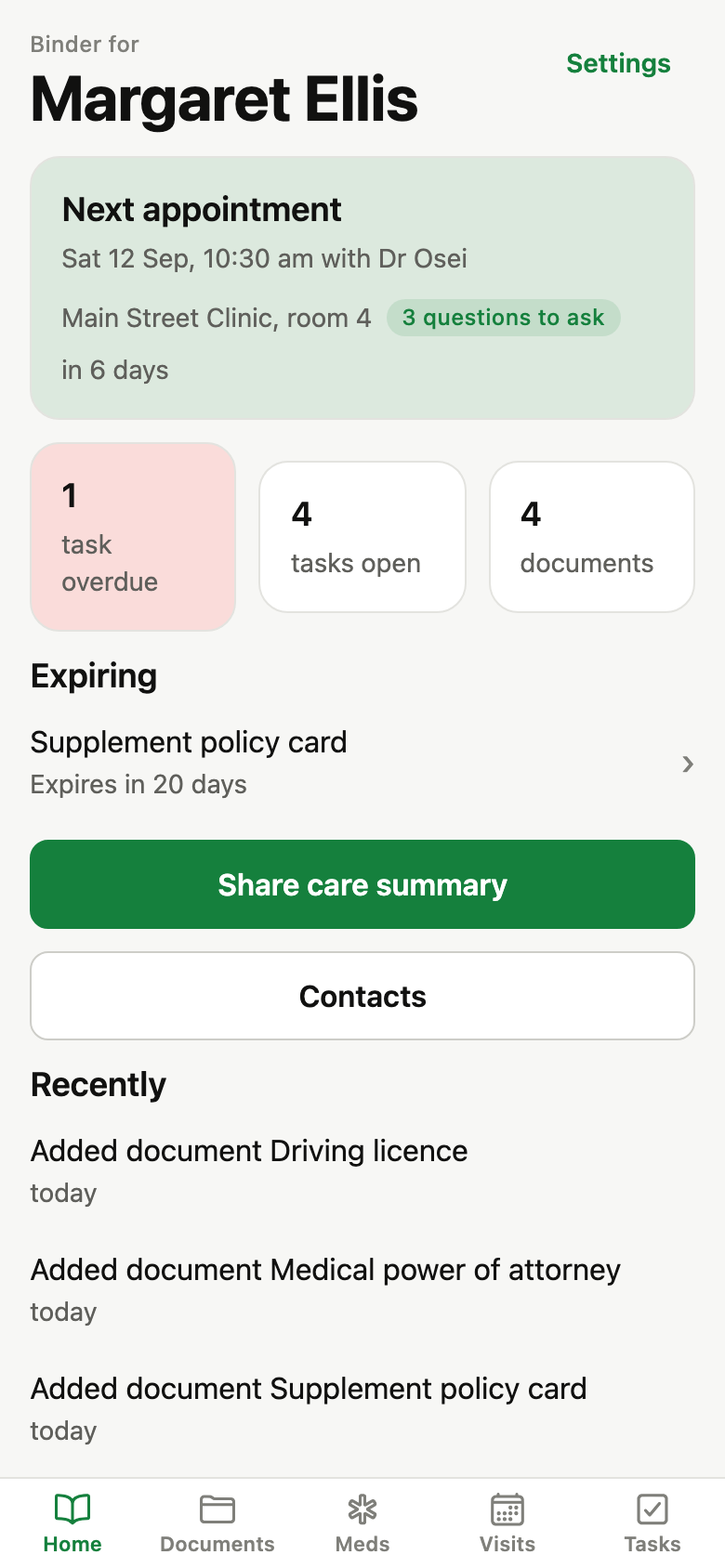
- Home fills in: the name, the next appointment, the documents count, and a Share care summary button that already works with what you entered.
Price, plainly
Free for one person and 10 documents. $49.99 once for everything else.
Medications, appointments, contacts, tasks and the care summary are unlimited on the free tier, which covers one person and 10 documents. The one-time unlock adds unlimited documents and more than one person. No subscription, because caregiving is a season, not a lifestyle.
On the web the one-time unlock is paid through Stripe Checkout and gives you an unlock code, still with no account. No subscription, no renewal, no tiers.
Who it is for
For the adult child who has become the family’s record keeper: the insurance cards, the POA, the med list, the next appointment and its questions, the doctors’ numbers, and who among the siblings is doing what.
Privacy in one sentence
Documents and every record stay on this device. No account, no analytics, no server. Export everything or delete everything from Settings, both in two steps.
The full privacy policy says the same thing at length, and the Consumer Health Data Policy is the section Washington, Nevada and Connecticut law asks for by name.